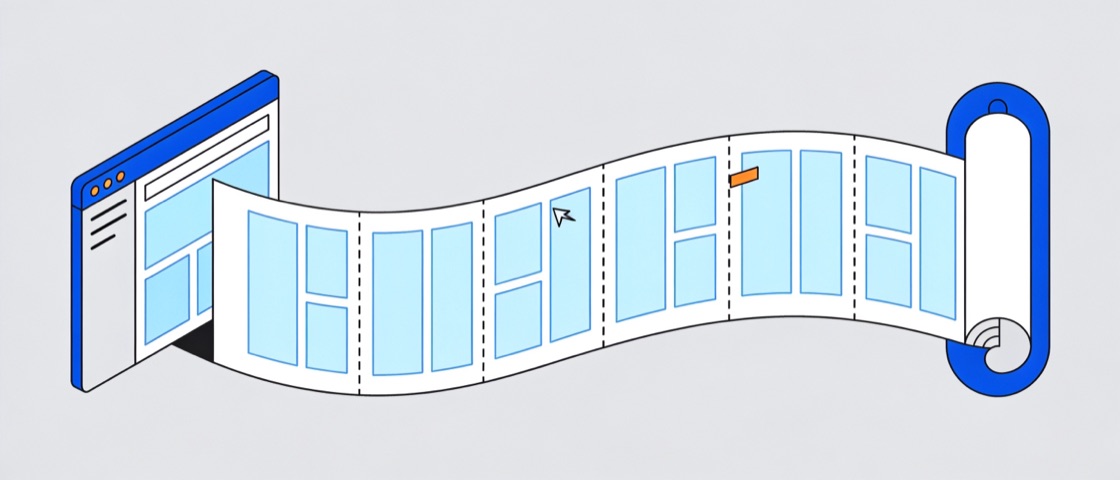
Got it — I can see the whole page. Shipping the fix.
The handoff
Built for the person on the other end of the screenshot.
Scrollshot captures the page the way the person on the other end needs it: whole. Choose Full page and it steps the tab one screenful at a time, then stitches a single PNG at the full resolution of your display — a 12,000-pixel-tall page arrives as one file, not thirteen crops.
The crop carries one viewport and a hard edge exactly where the interesting part starts. The capture carries the console error under the hero and the footer link that 404s. The screenshot was never the problem — the crop was.
What Cmd-Shift-4 sentone viewport, 290 of 2,320 px
What Scrollshot sentall 2,320 px in a single PNG
What you get
Two clicks, one PNG, and four numbers you can check.
30,000px
tallest capture — about 33 screenfuls on a 900 px viewport; taller pages are trimmed at 30,000
~600ms
between slices — Chrome rate-limits captures, Scrollshot paces itself to match
4
permissions total — and zero host access to sites you didn't click on
2
clicks from toolbar icon to a finished, full-page PNG
Settings — filename pattern
{host}-{date}-full
fielday-app-2026-07-30-full.png
Formats and filenames
Export PNG or JPEG with your own filename pattern, so captures sort themselves in your downloads folder.
Set once in Settings; synced with your Chrome profile.
Settings — clipboard
Copy every capture on open
Or press C in the editor to copy by hand.
Clipboard, automatically
Flip on auto-copy and every capture is on your clipboard the moment the editor opens — paste straight into chat, docs, or tickets.
Chrome can hold the paste until the editor tab has focus.
Settings — capture delay
None3 s5 s
No delay is applied unless you set one.
Capture delay for lazy pages
Pages that load images on the way down get a 3 or 5 second head start, so nothing arrives half-rendered.
Off by default — pick 3 s or 5 s once in Settings.
Under the hood
How the stitch works — and where it stops.
1
Capture
Click the icon, pick Full page — Scroll & stitch. A progress pill counts each slice while the tab steps through itself one viewport at a time; a very long page takes a few seconds.
2
Stitch
The editor assembles the slices on a canvas at full device-pixel resolution, so Retina captures stay Retina-sharp. Fixed headers are hidden after the first slice; in-flow sticky sidebars keep rendering where they belong.
3
Send
Copy to clipboard or download the PNG — that's the whole free loop. Mark it up first if you like: arrow, box, redact, straight in the editor.
Tip: a page that lazy-loads images can be captured half-rendered. Set the 3 s or 5 s capture delay in Settings and it will finish loading before the first slice is taken.
What Scrollshot won't do
Limits you should know before you install — not after.
Chrome-internal pages (chrome://, the Web Store) can't be captured. Chrome forbids it for every extension.
Pages taller than 30,000 CSS px are trimmed at 30,000 to stay inside canvas limits.
Sites that scroll inside a nested container stitch only the document scroll.
Auto-copy can wait until the editor tab has focus — Chrome guards the clipboard.
Only the most recent captures are kept, and they survive a worker restart but not closing the browser — download what you want to keep.
Undo doesn't refund the annotation demo — a used shape stays used.
MK
Found it — the error is under the pricing table, four screenfuls down. Nothing else needed.
Maya Kern · 14:05
Privacy
Four permissions. Nothing else.
Screenshot extensions are famous for demanding access to every site you visit. Scrollshot asks for exactly four things — and none of them lets it read a tab you didn't click it on. No host permissions, no remote code, nothing phoning home.
activeTab
Capture the page you clicked on — access begins at your click and ends with the tab.
scripting
Inject the stitch driver on demand — only into that same tab, only for the capture.
downloads
Save the finished image to your downloads folder with your filename pattern.
storage
Sync your settings — format, filename pattern, capture delay, auto-copy.
No host permissionsNo tabs permissionNo remote codeNo account
MK
Security cleared it — four permissions, no host access. Nothing left the machine but the paste.
Maya Kern · 14:09
Pricing
Free does the whole job. Pro isn’t on sale yet.
Free
$0 — forever, no account
The complete capture loop: full page in, one PNG out, unlimited — and it stays free when Pro opens.
Full-page scroll-and-stitch capture to one PNG
Visible-area capture
Editor tab with zoom and drag
PNG or JPEG download, filename patterns
Copy to clipboard — manual or automatic
Capture delay for lazy-loading pages
Annotation demo — 3 shapes per capture, and they export
Local PDF export — not built yet, and it lands in Free
No telemetry, no watermark, and not a trial — it never expires. For most captures this is the whole product.